If you have a proxy you will need to start with this command
$ export http_proxy=http://100.1.1.1:8080
And then you just need to call the site
$ wget -O- http://www.google.pt
The result should be like this - getting all the HTML page:
--12:37:20-- http://www.google.pt/
Connecting to 100.1.1.1:8080... connected.
Proxy request sent, awaiting response... 200 OK
Length: unspecified [text/html]
Saving to: `STDOUT'
[<=> ] 0 --.-K/s <html itemscope="itemscope" itemtype="http://schema.org/WebPage"><head><title>Google</title><script>window.google={kEI:"cAx0UKm4DvCX0QWshYGYBA",getEI:function(a){var b;while(a&&!(a.getAttribute&&(b=a.getAttribute("eid"))))a=a.parentNode;return b||google.kEI},https:function(){return window.location.protocol=="https:"},kEXPI:"17259,23628,32690,35704,39523,39978,4000116,4000354,4000553,4000624,4000648,4000743,4000833,4000955,4001001,4001013,4001064,4001132,4001145,4001188,4001192,4001267,4001293,4001441,4001449,4001461",kCSI:{e:"17259,23628,32690,35704,39523,39978,4000116,4000354,4000553,4000624,4000648,4000743,4000833,4000955,4001001,4001013,4001064,4001132,4001145,4001188,4001192,4001267,4001293,4001441,4001449,4001461",ei:"cAx0UKm4DvCX0QWshYGYBA"},authuser:0,
ml:function(){},kHL:"pt-PT",time:function(){return(new Date).getTime()},log:function(a,b,c,e){var d=new Image,h=google,i=h.lc,f=h.li,j="";d.onerror=(d.onload=(d.onabort=function(){delete i[f]}));i<
...
(google.stt!==undefined)google.kCSI.stt=google.stt;google.csiReport&&google.csiReport()}if(window.addEventListener)window.addEventListener("load",
l,false);else if(window.attachEvent)window.attachEvent("onload",l);google.timers.load.t.prt=(f=(new Date).getTime());
})();
[ <=> ] 11,527 --.-K/s in 0.001s
12:37:20 (20.6 MB/s) - `-' saved [11527]
</script></body></html>
terça-feira, outubro 09, 2012

segunda-feira, outubro 08, 2012
How to Add Background Music to Your Web Page
The best I prefere
For Opera and all IE versions, the following code works:
As you probably have noticed, IE 3.0 and above support both methods, so you cannot simply put both those tags into your web document in the hope of supporting all browsers. It will work on Netscape and early versions of IE, but the newer versions of IE will recognize both tags, leading to problems when IE tries to load the music file twice.
The workaround that I've seen on some sites, that seems to work for me, is to enclose the BGSOUND tag inside NOEMBED tags, thus preventing IE from interpreting the second tag.
<bgsound src="yourmusicfile.mid" loop="infinite">
This code appears to be compatible with all versions of IE, Netscape and Opera.
How to Add Background Music to Your Web Page
terça-feira, outubro 02, 2012
FINDSTR to get smaller log files
Quando os logs estão a ficar muito grandes e quiserem fazer uma pesquisa
dentro das máquinas windows podem e devem usar
o comando abaixo:
findstr /s /i /C:"[texto a pesquisa]" "*.*" > "[Nome do Ficheiro onde ficam os logs]"
domingo, setembro 30, 2012
Where to download Microsoft Visual Studio 2008 Express Edition
The Microsoft Visual Studio 2008 Express Editions are a free set of tools that are simple, fun and easy to learn. Continuing the Microsoft tradition of enabling developers of all skill levels, this latest release enables hobbyists, students, experienced and casual developers alike to create cool, fun applications.
http://www.microsoft.com/en-us/download/details.aspx?id=6506
Installing IIS 7 on Windows Vista and Windows 7
Complet article in:
http://www.iis.net/learn/install/installing-iis-7/installing-iis-on-windows-vista-and-windows-7
Introduction
You can use the Microsoft® Web Platform Installer (Web PI) to easily install Internet Information Services (IIS), and applications that run on IIS. To learn more about the Web PI, see Learn about and install the Web PI.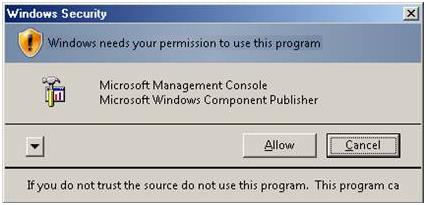
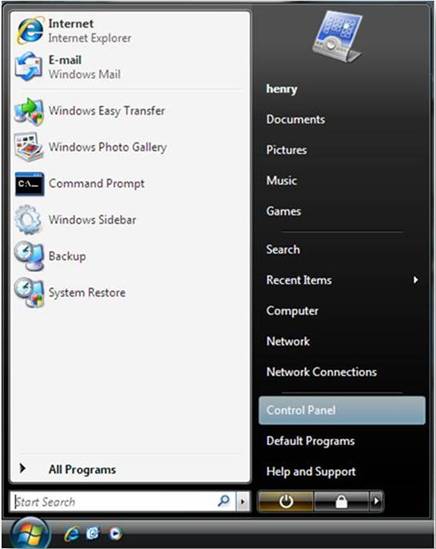
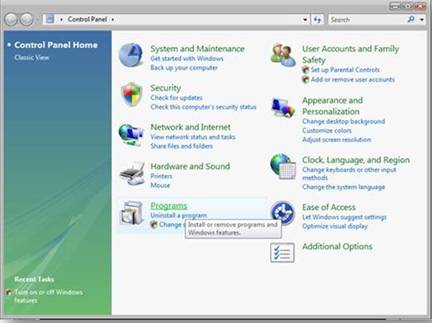
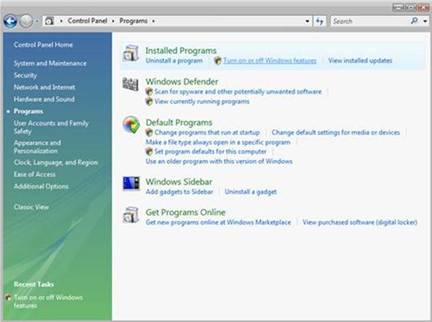
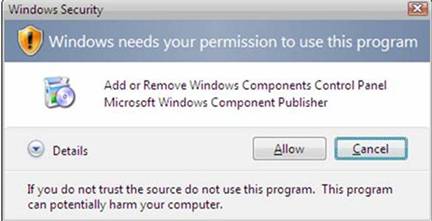
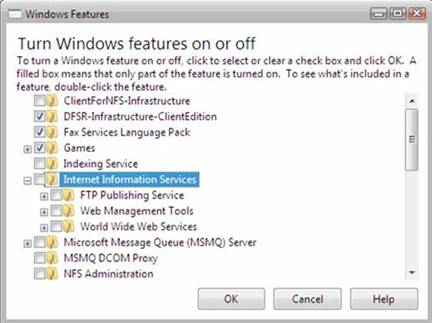
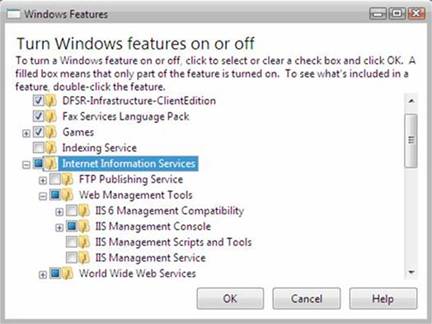
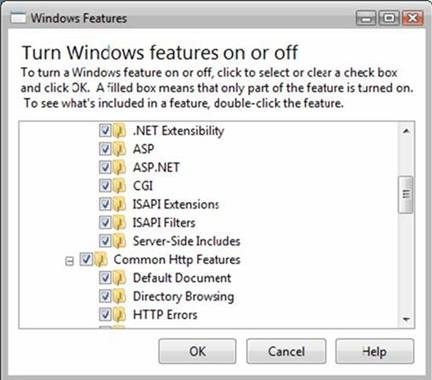

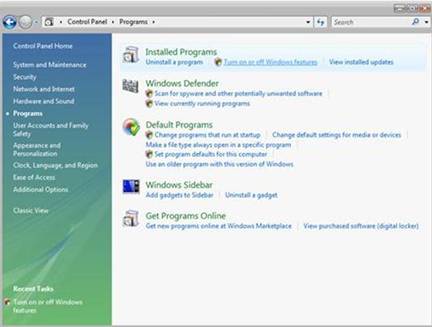
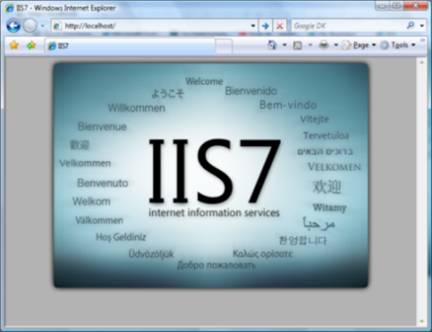
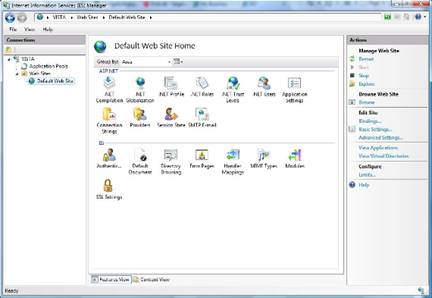
If you choose to install IIS 7.0 or above manually, you can use this article for guidance.
Before You Begin
Ensure that you have installed one of the editions of Windows Vista or Windows 7 on which IIS 7 and above is supported before you proceed. Not all IIS features are supported on all editions of Windows Vista and Windows 7. Home Basic and Starter editions include only limited basic features of IIS. To see a list of which features are supported on the edition of Windows you are using, see one of the following:- Available Role Services in IIS 7.0 (Windows Vista)
- Available Web Server (IIS) Role Services in IIS 7.5 (Windows 7)
terça-feira, setembro 25, 2012
How Application Pools Work (IIS 6.0
When you run IIS 6.0 in worker process isolation mode, you can separate
different Web applications and Web sites into groups known as application
pools. An application pool is a group of one or more URLs that are
served by a worker process or set of worker processes. Any Web directory or
virtual directory can be assigned to an application pool.
Every application within an application pool shares the same worker process. Because each worker process operates as a separate instance of the worker process executable, W3wp.exe, the worker process that services one application pool is separated from the worker process that services another. Each separate worker process provides a process boundary so that when an application is assigned to one application pool, problems in other application pools do not affect the application. This ensures that if a worker process fails, it does not affect the applications running in other application pools.
Use multiple application pools when you want to help ensure that applications and Web sites are confidential and secure. For example, an enterprise organization might place its human resources Web site and its finance Web site on the same server, but in different application pools. Likewise, an ISP that hosts Web sites and applications for competing companies might run each companys Web services on the same server, but in different application pools. Using different application pools to isolate applications helps prevent one customer from accessing, changing, or using confidential information from another customers site.
In HTTP.sys, an application pool is represented by a request queue, from which the user-mode worker processes that service an application pool collect the requests. Each pool can manage requests for one or more unique Web applications, which you assign to the application pool based on their URLs. Application pools, then, are essentially worker process configurations that service groups of namespaces.
Multiple application pools can operate at the same time. An application, as defined by its URL, can only be served by one application pool at any time. While one application pool is servicing a request, you cannot route the request to another application pool. However, you can assign applications to another application pool while the server is running.
by http://www.microsoft.com/technet/prodtechnol/WindowsServer2003/Library/IIS/67e39bd8-317e-4cf6-b675-6431d4425248.mspx?mfr=true
What is Application Pool in IIS ?
Before Giving the Definition : you can say like this, Concept of Application pool has from IIS 6.0 .
Application pools are used to separate sets of IIS worker processes that share the same configuration and application boundaries. Application pools used to isolate our web application for better security, reliability, and availability and performance and keep running with out impacting each other . The worker process serves as the process boundary that separates each application pool so that when one worker process or application is having an issue or recycles, other applications or worker processes are not affected.
One Application Pool can have multiple worker process Also.
Main Point to Remember:
1. Isolation of Different Web Application
2. Individual worker process for different web application
3. More reliably web application
4. Better Performance
by http://www.dotnetfunda.com/interview/exam1414-what-is-application-pool-in-iis.aspx
segunda-feira, setembro 17, 2012
Pesquisa em ficheiros do fim para o ínicio
Sempre que preciso de pesquisar num ficheiro com demasiadas linhas tenho sempre o problema de encontrar o que quero.
O problema é que o grep obriga a saber o que pesquisar - e por vezes não se sabe.
Para ver um ficheiro do fim para o final:
less +G extractor.log
quinta-feira, setembro 13, 2012
Procurar ficheiros numa máquina recursivamente
Para proceder a pesquisa de ficheiros recursivamente:
find . -name '*.tar'
sexta-feira, agosto 31, 2012
Obter o espaço ocupado e livre de uma drive em Linux,
Para obter o espaço ocupado e livre de uma drive em Linux, usar o comando
df -h
Irão ter uma listagem como a seguinte:
Filesystem Size Used Avail Use% Mounted on
/dev/1234 19G 2.4G 16G 14% /
/dev/421 110G 59G 46G 57% /usersdir
/dev/2255 190M 17M 164M 10% /boot
tmpfs 1005M 0 1005M 0% /dev/shm
Disk Usage por diretorias em Linux
Para identificar o espaço usado num grupo de diretorias o comando é o seguinte:
du -hs /UsersHomeDir/*
Isto irá retornar uma listagem deste tipo:
1.9G /UsersHomeDir/User1
117M /UsersHomeDir/User2
3.7G /UsersHomeDir/User3
28M /UsersHomeDir/User4
23M /UsersHomeDir/User5
3.3G /UsersHomeDir/User6
601M /UsersHomeDir/User7
109M /UsersHomeDir/User8
85M /UsersHomeDir/User9
16K /UsersHomeDir/User10
2.7G /UsersHomeDir/User11
412M /UsersHomeDir/User12
21M /UsersHomeDir/User13
22M /UsersHomeDir/User14
45G /UsersHomeDir/User15
1.3G /UsersHomeDir/User16
Com estes dados conseguimos identificar qual o user que esteja a ultrapassar o espaço esperado. Existem outras possibilidades como limitar (na criação do user) o espaço disponível, mas assim também podemos criar impacto em users que não temos garantias do crescimento esperado.
segunda-feira, agosto 27, 2012
Subscrever:
Mensagens (Atom)